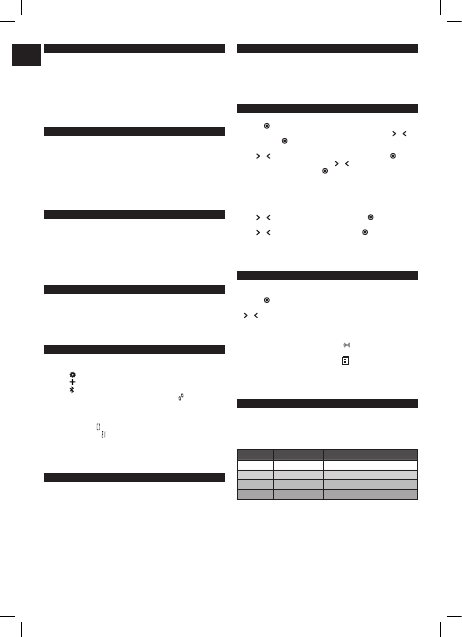
MiBODY
Salter MiBody is a range of connected devices to make weight and health management
easier. Measurements are sent wireless to your mobile device and can be viewed
using the free to download MiBody App. Trends can be tracked overtime and the
measurements explained with healthy/recommended ranges. The results are stored
on your personal mobile device only and are private unless you choose to share your
achievements.
MiBody should be used in addition with and not as a substitute to professional medical
guidance. If you are concerned about any aspect of your health please seek professional
medical guidance.
HOW DOES THIS SALTER SCALE WORK?
This Salter scale uses BIA (Bio Impedance Analysis) technology which passes a tiny
electrical impulse through the body to determine fat from lean tissue, the electrical
impulse cannot be felt and is perfectly safe. Contact with the body is made via stainless
steel pads on the platform of the scale.
This method simultaneously calculates your personal weight, body fat, total body water,
BMI and muscle mass, giving you a more accurate reading of your overall health and
fitness.
This scale stores the personal data of up to 4 users. As well as being an analyser scale,
this scale can be used as a conventional scale.
PREPARING YOUR SCALE
1. Open the battery compartment on the scale underside.
2. Remove isolating tab from beneath the battery (if fitted) or insert batteries observing
the polarity signs (+ and -) inside the battery compartment.
3. Close the battery compartment.
4. Select kg, st or lb weight mode by the switch on the underside of the scale.
5. For use on carpet remove the non-slip pads from the scales feet and attach enclosed
carpet feet.
6. Position scale on a firm flat surface.
MiBODY APP
Before using your device for the first time:
1. Download and install the Salter MiBody App from the App store. Use keyword search
terms “Salter” or “MiBody”
2. Turn Bluetooth “On” in the “Settings” menu of your iPhone/iPad.
3. Open the MiBody App and follow the on screen instructions to set up your user
account.
PAIRING DEVICES
1. Turn Bluetooth “On” in the “Settings” menu of your iPhone/iPad.
2. Open the MiBody App.
3. Press the
button to enter “Settings”.
4. Press the
button.
5. Press the
button.
6. Press and hold the “UNIT” button on the base of the scale until
is displayed on the
screen.
7. On your iPhone/iPad, touch the scale icon to connect with the scale. Select the user
number you wish to pair. Touch the Done button to finish.
8. If pairing is successful
will be displayed.
9. If pairing is unsuccessful
will be displayed.
10. The scale will automatically switch o.
11. Repeat procedure for each user and each iPhone/iPad.
Note: Each user number can only be paired with one iOS device. Results will be sent to
the paired device only.
INITIALISING YOUR SCALE
1. Press the platform centre and remove your foot.
2. ‘0.0’ will be displayed.
3. The scale will switch o and is now ready for use.
This initialisation process must be repeated if the scale is moved.
At all other times step straight on the scale.
WEIGHT READING ONLY
This scale features our convenient step-on operation. Once initialised the scale can be
operated by simply stepping straight on the platform – no more waiting!
1. Step on and stand very still while the scale computes your weight.
2. Your weight is displayed.
3. Step o. Your weight will be displayed for a few seconds.
4. The scale will switch o.
PERSONAL DATA ENTRY
1. Press the platform centre and remove your foot.
2. Press the
button.
3. While the user number is flashing, select a user number by pressing the
or
buttons. Press the
button to confirm your selection.
4. The weight mode display will flash.
Press
or button until the correct symbol is flashing, then press the button.
5. The male or female symbol will flash. Press
or to select male/female/male
athlete/female athlete, then press the
button.
Athlete Mode:
An athlete is defined as a person who is involved in intense physical activity of
approximately 12 hours per week and who has a resting heart rate of approximately
60 beats per minute or less.
6. The height display will flash.
Press
or as necessary to set your height, then press the button.
7. The age display will flash.
Press
or as necessary to set your age, then press the button.
8. The display will show your settings, then switch o. The memory is set.
9. Repeat procedure for a second user, or to change user details.
NOTE: To update or overwrite the memorised data, follow the same procedure, making
changes as required.
WEIGHT & BODY FAT READINGS
1. Position scale on a firm flat surface.
2. Press the platform centre and remove your foot.
3. Press the
button.
4. Whilst the user number is flashing select your user number by pressing the
or buttons.
5. Wait while the display reconfirms your personal data then shows a zero reading.
6. When zero is displayed, with bare feet, step onto the platform and stand still.
7. Your weight will be displayed followed by BMI, body fat, body water and muscle mass.
8. If the user number is paired with an iPhone/iPad
will be displayed and the data
will be sent wirelessly to your mobile device.
9. If the device is out of range or the App is closed
will be displayed and the data
will be saved on the scale and transferred next time the scale is used.
10. The scale will switch o.
Note: To receive data the MiBody App must be open or running in the background. The
MiBody App will not receive data if it is closed completely or Bluetooth is turned o.
WHAT DOES MY BMI VALUE MEAN?
Body Mass Index (BMI) is an index of weight-for-height that is commonly used to
classify underweight, overweight and obesity in adults. This scale calculates your BMI
value for you. The BMI categories shown in the chart and table below are recognised by
the WHO (World Health Organisation) and can be used to interpret your BMI value.
Your BMI category can be identified using the table below.
BMI Category BMI Value Meaning Health Risk Based Solely On BMI
<18.5 Underweight Moderate
18.6 - 24.9 Normal Low
25 - 29.9 Overweight Moderate
30+ Obese High
GB






Zapojte se do konverzace o tomto výrobku
Zde můžete sdílet, co si myslíte o Salter 9154 BK3R MiBody Váhy. Máte-li dotaz, nejprve si pozorně přečtěte návod. Žádost o příručku lze provést pomocí našeho kontaktního formuláře.
odpověď | To bylo užitečné (4) (Přeloženo Googlem)
odpověď | To bylo užitečné (0) (Přeloženo Googlem)
odpověď | To bylo užitečné (0) Přečtěte si více (Přeloženo Googlem)
To bylo užitečné (0) (Přeloženo Googlem)
odpověď | To bylo užitečné (0) (Přeloženo Googlem)
odpověď | To bylo užitečné (0) (Přeloženo Googlem)
Loading…
odpověď | To bylo užitečné (0) Přečtěte si více (Přeloženo Googlem)
To bylo užitečné (0) (Přeloženo Googlem)
odpověď | To bylo užitečné (0) (Přeloženo Googlem)
odpověď | To bylo užitečné (0) (Přeloženo Googlem)
odpověď | To bylo užitečné (0) (Přeloženo Googlem)
odpověď | To bylo užitečné (0) (Přeloženo Googlem)
odpověď | To bylo užitečné (0) (Přeloženo Googlem)
odpověď | To bylo užitečné (0) (Přeloženo Googlem)