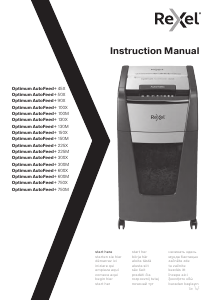
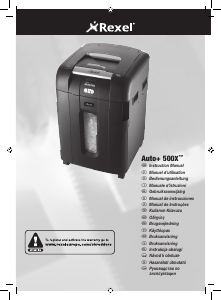
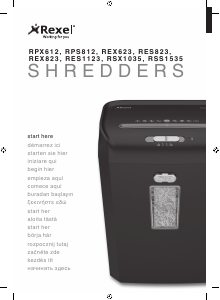
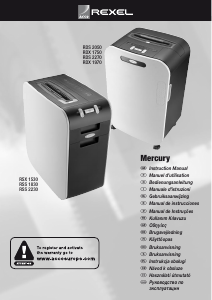
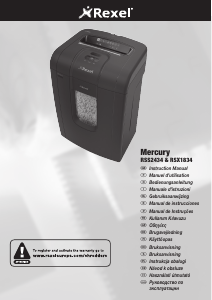
Manuál Rexel Mercury RSX1834 Skartovačka

Potřebujete manuál pro svůj Rexel Mercury RSX1834 Skartovačka? Níže si můžete zdarma prohlédnout a stáhnout PDF manuál v češtině. Tento produkt má aktuálně 2 často kladené otázky, 2 komentářů a má 0 hlasů. Pokud toto není manuál, který chcete, kontaktujte nás.

Je váš výrobek vadný a manuál nenabízí žádné řešení? Přejděte do Repair Café a získejte opravu zdarma.

Manuál

Loading…
5
G
Reverse Function
1
Should you wish to reverse the shredding direction whilst shredding a
document, a reverse button (d) has been fitted for your convenience.
2
By pressing the reverse button the shredding cutters will change
direction allowing the retrieval of the document being shredded. The
anti-jam indicator will turn to red.
3
The reverse function will only run whilst the button is being pressed.
When the reverse button has been released the shredder will revert to
stand by mode.
CD and Credit Card Shredding
The Mercury models can also shred CD’s and Credit Cards.
1
Switch shredder to auto mode and place credit card into the centre of
the marking for the credit card on the feed chute
2
Switch the shredder to auto mode and place CD into the centre of the
CD Slot, this will activate the shredder as before.
Only 1 CD can be shred at a time.
Rare Occasions of Jamming
In the unlikely event of the shredder jamming, use the reverse function to
unblock the shredder. (see Reverse function section)
Alternating between the reverse function and the forward run will help
unblock the feed area. To trigger the permanent forward run mechanism,
press Auto/On button down for 2 seconds.
Once the jam is clear, press the right hand auto button once to revert back
to auto mode. You can now resume shredding as normal.
Bin Full
When the bin is full the shredder will not function and the bin full symbol will
illuminate red.
When this happens you must empty the bin.
• Pull out the bin to empty
If the bin is not relocated correctly, the anti-jam indicator will continue to
glow red. Once relocated correctly the anti-jam indicator will return to green.
Over Heating
If the shredder is used continuously for long periods of time the shredder
may overheat. If this occurs the thermometer symbol on the indicator panel
will flash blue.
When the shredder is ready to be used again the thermometer will stop
flashing and the anti-jam indicator will flash green once again. To resume
shredding press the auto button.
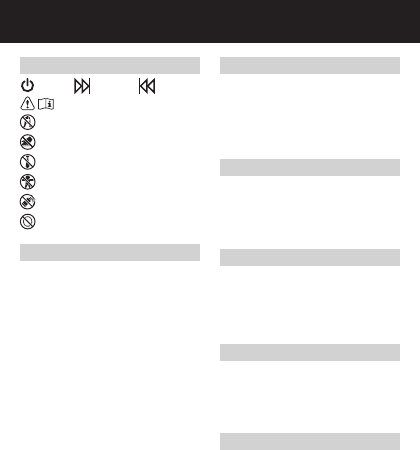
Shredder Control Panel
ReverseForwardAuto
This means you should be careful because long hair can become
entangled in the cutting head. This could hurt you.
This means don’t reach into the feed opening of the cutting head.
This could hurt you.
This means be careful of ties and other loose clothing which could
become entangled in the cutting head. This could hurt you.
This means keep children away from shredder.
This means do not use aerosol sprays anywhere near the unit.
This means be careful of loose jewelry which could become
entangeld in the cutting head.
Safety First
Operation
1
Connect shredder to mains supply
2
Ensure the on/off button on the back of the machine is in the on position
(g).
3
To commence shredding, press the central Auto button (b). This will
illuminate the Anti-jam indicator. This sets the shredder into auto mode
and initiates the Mercury Anti-jam mechanism. The standby symbol will
illuminate blue and the Anti-jam indicator will glow green. You are now
able to shred.
4
Insert paper to be shredded into the feed area. The Mercury anti jam
mechanism will sense the thickness of the paper being shredded.
Make sure the paper to be inserted is neatly stacked. Splayed sheets
can affect the operation of the anti-jam mechanism.
If the paper thickness is within the shredders capacity, the motor will
start and your documents will be shredded. Cutters will stop once the
shredding process is complete.
If the paper thickness is greater than the shredders sheet capacity the
anti-jam indicator will turn from green to red and the motor will not run.
5
If this happens, remove some of the sheets from the paper stack and
re-try until the anti-jam indicator reverts back to green, the shredder will
then automatically start and allow the paper to be shredded.
If the shredder is left in auto mode for more than 2 minutes without
being used, the shredder will automatically switch off in order to save
power.
Stáhnout manuál v český (PDF, 2.84 MB)
(Zvažte dopad na životní prostředí a tento manuál si vytiskněte pouze v případě, že výtisk skutečně potřebujete)

Loading…

Hodnocení

Ohodnoťte Rexel Mercury RSX1834 Skartovačka a dejte nám vědět, co si o výrobku myslíte. Chcete se podělit o své zkušenosti s tímto výrobkem nebo se na něco zeptat? Nechte nám ve spodní části stránky komentář.
Jste spokojeni s Rexel Mercury RSX1834 Skartovačka?
Ano Ne
Ohodnoťte tento výrobek jako první
0 hlasy

Zapojte se do konverzace o tomto výrobku

Zde můžete sdílet, co si myslíte o Rexel Mercury RSX1834 Skartovačka. Máte-li dotaz, nejprve si pozorně přečtěte návod. Žádost o příručku lze provést pomocí našeho kontaktního formuláře.

Amanda Vine 27-02-2020
Můžete mi prosím dát vědět, jestli je můj skartovač rozbitý? Tlačítko auto, které stisknete, aby se papír podával, nedovolí papíru skartovat se, aniž bych na tlačítku přidržel prst. Můžete prosím poradit?

odpověď | To bylo užitečné (0) (Přeloženo Googlem)
Hanz 24-05-2022
Ahoj, Zařízení je momentálně zaseknuté, ale nesvítí, když se pokouším resetovat zařízení prosím můžete poradit

odpověď | To bylo užitečné (0) (Přeloženo Googlem)

Více o tomto návodu

Chápeme, že je hezké mít k vašemu Rexel Mercury RSX1834 Skartovačka papírovou příručku. Manuál si můžete vždy stáhnout z našich webových stránek a vytisknout si jej sami. Pokud byste chtěli mít originální příručku, doporučujeme vám kontaktovat Rexel. Možná by byli schopni poskytnout originální návod. Hledáte příručku ke svému Rexel Mercury RSX1834 Skartovačka v jiném jazyce? Vyberte si preferovaný jazyk na naší domovské stránce a vyhledejte číslo modelu, abyste zjistili, zda jej máme k dispozici.

Specifikace

Značka Rexel
Modelka Mercury RSX1834
Kategorie Skartovačky
Typ souboru PDF
Velikost souboru 2.84 MB

Všechny návody pro Rexel Skartovačky
Další manuály Skartovačky

Často kladené otázky o Rexel Mercury RSX1834 Skartovačka

Náš tým podpory vyhledává užitečné produktové informace a odpovídá na často kladené otázky. Pokud v nich najdete nějakou nepřesnost, kontaktujte nás prostřednictvím našeho kontaktního formuláře.

Proč se můj skartovač po určité době zastaví? Ověřeno

Drtiče papíru musí po chvíli vychladnout, aby nedošlo k přehřátí. Doba, po kterou může zařízení fungovat, než bude nutné vychladnout, se u různých značek a modelů liší.

To bylo užitečné (910) Přečtěte si více

Jak často mám drtič naolejovat? Ověřeno

Při občasném použití postačí naolejování drtiče papíru jednou za dva měsíce. Při (velmi) pravidelném používání si můžete všimnout, že zařízení má potíže s drcením nebo že se papír snadno zasekne. To jsou známky toho, že by měl být stroj naolejován.

To bylo užitečné (567) Přečtěte si více
Manuál Rexel Mercury RSX1834 Skartovačka

Související produkty

Související kategorie

×
Download