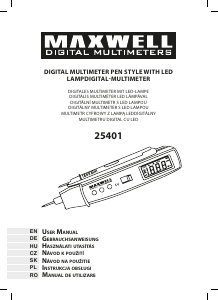
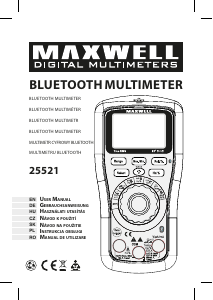
Manuál Maxwell MX-25521 Multimetr

Potřebujete manuál pro svůj Maxwell MX-25521 Multimetr? Níže si můžete zdarma prohlédnout a stáhnout PDF manuál v češtině. Tento produkt má aktuálně 0 často kladené otázky, 0 komentářů a má 0 hlasů. Pokud toto není manuál, který chcete, kontaktujte nás.

Je váš výrobek vadný a manuál nenabízí žádné řešení? Přejděte do Repair Café a získejte opravu zdarma.

Manuál

Loading…

DC and AC voltage measurement
Connect the black connector to
“COM”, the red connector to the
“VΩHz” socket. Set the function
selector switch to the “V” position.
Normally, the automatic metering
range switch is active, which is
indicated by “AUTO on the display.
Press the “RANGE“ button to manually
set the measurement range and the
“SELECT“ button to select the DC
and AC modes. Connect the testers in
parallel with the power source for the
measurement time.
DC and AC current measurement
Connect the black wire to COM” and
the red wire to the “mA” or “10A
socket, max. 600 mA or for max 10A
measurements. Set the function switch
to the appropriate measuring range,
uA, mA or 10A. Normally, the automatic
metering range switch is active, which
is indicated by “AUTOon the display.
Press the “RANGE“ button to manually
set the measurement range and the
“SELECT“ button to select the DC
and AC modes. Connect the testers in
series to the circuit to be measured.
Frequency and fill factor
measurement
Connect the black connector to
“COM”, the red connector to the
“VΩHz” socket. Frequency and ll
factor measurement available for the
following functions: “V”, “uA, “mA”,
“10A, rotate the function selector
switch. Press the “SELECT“ button to
set the alternating waveform rst, then
use the “HZ/%“ button to select the
measurement. Connect the testers in
parallel with the power source for the
measurement time.
Non-contact frequency measure-
ment
Connect the red connector to the
“VΩHz” socket. Turn the function
selector switch to the NCF mode
and then approach the front of
the instrument (NCV/NCF) to 1-2
centimeters to the wire to be
measured. The measured value can be
read from the display.
Non-contact AC voltage detection
Turn the function selector switch to
NCV mode and then approach the
front of the instrument (NCV/NCF)
to 1-2 centimeters to the wire to be
measured. In the case of detection,
the display of the instrument ashes
red and beeps intermittently. The more
often there is a sound and light signal
the better the result. The display shows
4 horizontal lines indicating the hit,
the higher the value being the more
secure.
Resistance, tear and diode, capacity
measurement
Connect the black connector
to “COM”, the red connector
EN
USER MANUAL
Stáhnout manuál v český (PDF, 0.68 MB)
(Zvažte dopad na životní prostředí a tento manuál si vytiskněte pouze v případě, že výtisk skutečně potřebujete)

Loading…

Hodnocení

Ohodnoťte Maxwell MX-25521 Multimetr a dejte nám vědět, co si o výrobku myslíte. Chcete se podělit o své zkušenosti s tímto výrobkem nebo se na něco zeptat? Nechte nám ve spodní části stránky komentář.
Jste spokojeni s Maxwell MX-25521 Multimetr?
Ano Ne
Ohodnoťte tento výrobek jako první
0 hlasy

Zapojte se do konverzace o tomto výrobku

Zde můžete sdílet, co si myslíte o Maxwell MX-25521 Multimetr. Máte-li dotaz, nejprve si pozorně přečtěte návod. Žádost o příručku lze provést pomocí našeho kontaktního formuláře.

Více o tomto návodu

Chápeme, že je hezké mít k vašemu Maxwell MX-25521 Multimetr papírovou příručku. Manuál si můžete vždy stáhnout z našich webových stránek a vytisknout si jej sami. Pokud byste chtěli mít originální příručku, doporučujeme vám kontaktovat Maxwell. Možná by byli schopni poskytnout originální návod. Hledáte příručku ke svému Maxwell MX-25521 Multimetr v jiném jazyce? Vyberte si preferovaný jazyk na naší domovské stránce a vyhledejte číslo modelu, abyste zjistili, zda jej máme k dispozici.

Specifikace

Značka Maxwell
Modelka MX-25521
Kategorie Multimetry
Typ souboru PDF
Velikost souboru 0.68 MB

Všechny návody pro Maxwell Multimetry
Další manuály Multimetry
Manuál Maxwell MX-25521 Multimetr

Související produkty

Související kategorie

×
Download