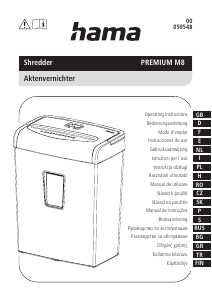
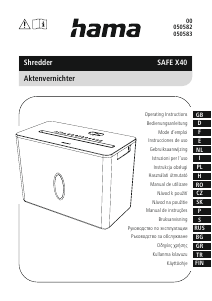
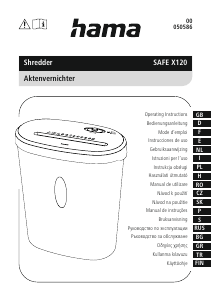
Manuál Hama 00050543 Skartovačka

Potřebujete manuál pro svůj Hama 00050543 Skartovačka? Níže si můžete zdarma prohlédnout a stáhnout PDF manuál v češtině. Tento produkt má aktuálně 2 často kladené otázky, 0 komentářů a má 1 hlas s průměrným hodnocením produktu 0/100. Pokud toto není manuál, který chcete, kontaktujte nás.

Je váš výrobek vadný a manuál nenabízí žádné řešení? Přejděte do Repair Café a získejte opravu zdarma.

Manuál

Loading…

3
2.3 Explanation of symbols used on the product label
Warning - risk of injury
Note the warning symbols in order to avoid injuries or damage to the device.
General warning symbol
Before commissioning, read the enclosed operating
instructions.
You must comply with the safety instructions at all times.
This device is not intended for use by children.
Avoid touching the intake opening with hands, clothing
or hair.
Unplug the device if it is not going to be used for a
prolonged period.
Children must be supervised when using the device.
Do not insert paper clips into the intake shaft.
Do not reach into the intake shaft.
Keep clothing away from the intake shaft.
Keep jewellery, e.g. necklaces, away from the intake shaft.
Keep hair away from the intake shaft.
Do not use any aerosol products on or near the device.
Insert no more than 10 sheets of paper at any one time into
the intake shaft (see 7. Technical Data).
Intake shaft for CDs/DVDs and Blu-Rays. Only insert one CD/
DVD or Blu-Ray at a time into the intake shaft.
Intake shaft for credit cards. Only insert one credit card at a
time into the intake shaft for credit cards.
2.4 Safety device
The device is equipped with a safety switch and can only be operated if the device head (1)
is correctly placed on the waste container (7).
Warning
Any tampering with or modication of the safety features can result in serious injury
and is not permitted.
3. Installation / Setup
Warning
Only operate the product from a socket that has been approved for the device. The
socket must be installed close to the product and must be easily accessible.
Disconnect the product from the power supply using the On/Off switch if this is not
available, unplug the power cord from the socket.
If using a multi-socket power strip, make sure that the total power consumption of
all connected devices does not exceed the power strip's maximum throughput rating.
If you will not be using the product for a prolonged period, disconnect it from
mains power.
Note
Set the product up on a level, horizontal and suciently stable surface.
Route all cables so that there is no risk of tripping.
Do not bend or crush the cable.
Protect the connecting cable from hot surfaces and sharp edges.
Connect the mains cable to a properly installed and easily accessible mains socket.
4. Operation
Note
Be aware that the thickness of paper increases when it is folded, leading to the
device's maximum page capacity being exceeded.
Always wait until one cutting operation is nished before starting the next one.
Do not use the device continuously for more than 2 minutes at a time.
Empty the container regularly in order avoid damaging the device.
4.1 Switching the device on
Move the slider switch (8) to the "
" position (11).
The status LED Ready (13) lights up solid green.
The device is now ready for use.
4.2 Switching the device off
Move the slider switch (8) to the "
" position (10).
4.3 Shredding paper
Insert the paper into the centre of the intake shaft (2). The cutting rollers switch on
automatically.
Let go of the paper. Once the cutting process is complete, the device switches itself
off again.
4.4 Shredding plastic cards
Insert the plastic card into the centre of the intake shaft (2). The cutting rollers switch
on automatically.
Let go of the plastic card. Once the cutting process is complete, the device switches
itself off again.
4.5 Shredding CDs, DVDs, Blu-Rays
Move the slider switch (8) to the "
" position (12).
The cutting rollers are switched on and operate constantly.
Insert the CD, DVD or Blu-Ray into the centre of the intake shaft (4).
Let go of the CD, DVD or Blu-Ray.
After the cutting process, move the slider switch (8) to the "
" position (10) to switch
the device off or to the "
" position (11) to shred paper or plastic cards in the intake
shaft (2).
4.6 Forwards / backwards mode
Note
These modes are designed to release any blockages of the cutting mechanism.
Move the slider switch (8) to the "
" position (9). The rollers on the cutting mechanism
now rotate in the reverse direction.
Move the slider switch (8) alternately to the "
" position (12) and the " " position
(9). Repeat this process around three times.
Then switch the device off - as described in 4.2 Switching the device off - and
disconnect the mains plug.
Remove the blocked cut material carefully from the intake shaft (2).
Reconnect the device - as described in 3. Installation/Setup - to the power supply.
Stáhnout manuál v český (PDF, 1.67 MB)
(Zvažte dopad na životní prostředí a tento manuál si vytiskněte pouze v případě, že výtisk skutečně potřebujete)

Loading…

Hodnocení

Ohodnoťte Hama 00050543 Skartovačka a dejte nám vědět, co si o výrobku myslíte. Chcete se podělit o své zkušenosti s tímto výrobkem nebo se na něco zeptat? Nechte nám ve spodní části stránky komentář.
Jste spokojeni s Hama 00050543 Skartovačka?
Ano Ne
0%
100%
1 hlas

Zapojte se do konverzace o tomto výrobku

Zde můžete sdílet, co si myslíte o Hama 00050543 Skartovačka. Máte-li dotaz, nejprve si pozorně přečtěte návod. Žádost o příručku lze provést pomocí našeho kontaktního formuláře.

Více o tomto návodu

Chápeme, že je hezké mít k vašemu Hama 00050543 Skartovačka papírovou příručku. Manuál si můžete vždy stáhnout z našich webových stránek a vytisknout si jej sami. Pokud byste chtěli mít originální příručku, doporučujeme vám kontaktovat Hama. Možná by byli schopni poskytnout originální návod. Hledáte příručku ke svému Hama 00050543 Skartovačka v jiném jazyce? Vyberte si preferovaný jazyk na naší domovské stránce a vyhledejte číslo modelu, abyste zjistili, zda jej máme k dispozici.

Specifikace

Značka Hama
Modelka 00050543
Kategorie Skartovačky
Typ souboru PDF
Velikost souboru 1.67 MB

Všechny návody pro Hama Skartovačky
Další manuály Skartovačky

Často kladené otázky o Hama 00050543 Skartovačka

Náš tým podpory vyhledává užitečné produktové informace a odpovídá na často kladené otázky. Pokud v nich najdete nějakou nepřesnost, kontaktujte nás prostřednictvím našeho kontaktního formuláře.

Proč se můj skartovač po určité době zastaví? Ověřeno

Drtiče papíru musí po chvíli vychladnout, aby nedošlo k přehřátí. Doba, po kterou může zařízení fungovat, než bude nutné vychladnout, se u různých značek a modelů liší.

To bylo užitečné (915) Přečtěte si více

Jak často mám drtič naolejovat? Ověřeno

Při občasném použití postačí naolejování drtiče papíru jednou za dva měsíce. Při (velmi) pravidelném používání si můžete všimnout, že zařízení má potíže s drcením nebo že se papír snadno zasekne. To jsou známky toho, že by měl být stroj naolejován.

To bylo užitečné (577) Přečtěte si více
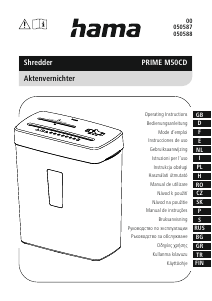
Manuál Hama 00050543 Skartovačka

Související produkty

Související kategorie

×
Download