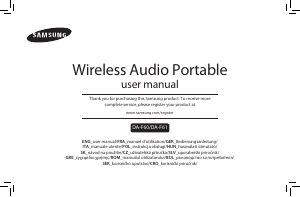
Manuál Samsung DA-F61 Reproduktor

Potřebujete manuál pro svůj Samsung DA-F61 Reproduktor? Níže si můžete zdarma prohlédnout a stáhnout PDF manuál v češtině. Tento produkt má aktuálně 5 často kladené otázky, 1 komentář a má 0 hlasů. Pokud toto není manuál, který chcete, kontaktujte nás.

Je váš výrobek vadný a manuál nenabízí žádné řešení? Přejděte do Repair Café a získejte opravu zdarma.

Manuál

Loading…

3English
ENG
USING THE NFC FUNCTION
Connect your NFC compatible device via Bluetooth to the
Wireless Audio Portable using this simple set-up procedure and
play music on the device through the Wireless Audio Portable.
1. Turn on the NFC function on the device and make sure the
screen lock function on the device is off. The device's NFC
function will not work if screen lock is on.
2. Gently touch the top of the Wireless Audio Portable's left
panel with the NFC supported device.
• If the Wireless Audio Portable is off, it will turn on
automatically.
3. A pop-up asking whether to proceed with the Bluetooth
connection appears on the device. Select <Yes>.
• When the connection is complete, the 'connected'
message appears.
4. To disconnect the NFC device, touch the device to the
Wireless Audio Portable's left panel again. To connect another
NFC device while the rst device is still connected, touch that
device to the Wireless Audio Portable's left panel. The
Wireless Audio Portable will disconnect the rst device and
connect to the second device.
f The NFC function is built into Android devices running
Android OS 4.1 Jellybean or later.
- If your device is running an Android OS earlier than
Android OS 4.1 Jellybean, you must download the
'Samsung NFC Connection' application from Android
market to use the NFC function.
f The position of the NFC antenna differs on devices. Check
where the NFC antenna is located before connecting.
f If your device is covered with a thick case, the connection
may not succeed.
f The N-mark is a trademark or registered trademark of NFC
Forum, Inc. in the United States and in other countries.
USING BLUETOOTH
You can connect the Wireless Audio Portable to Bluetooth
devices and enjoy music with high quality stereo sound, all
without wires!
Bluetooth technology lets Bluetooth-compliant devices interconnect
easily with each other using a short wireless connection.
A Bluetooth device may cause noise or malfunction,
depending on usage, when:
- A part of your body is in contact with the receiving/transmitting
system of the Bluetooth device or the Wireless Audio Portable.
- It is subject to electrical variation from obstructions caused
by a wall, corner, or by ofce partitioning.
- It is exposed to electrical interference from same
frequency-band devices including medical equipment,
microwave ovens, and wireless LANs.
Pair the Wireless Audio Portable with the Bluetooth device
while they are close together.
The further the distance between the Wireless Audio Portable
and Bluetooth device, the worse the quality. If the distance
exceeds the Bluetooth operational range, the connection is lost.
The Bluetooth connection only works when the Bluetooth
device is close to the set. The connection is automatically cut
off if the Bluetooth device moves out of range. Even within
range, the sound quality may be degraded by obstacles such
as walls or doors.
This wireless device may cause electric interference during its
operation.
To connect the Wireless Audio Portable to a
Bluetooth device
BASS
FUNC.
MUTE
VOL
Connect
External device
aptX
®
aptX enables high
quality Bluetooth
stereo audio that
delivers wired
audio quality
wirelessly.
1. Press the
FUNC.
button on the Wireless Audio Portable to select
the Bluetooth function.
2. Press the
FUNC.
button for 3 seconds in Bluetooth mode.
3. The Bluetooth indicator blinks quickly and the product
changes to the pairing mode.
4. Scan or Search for the Wireless Audio Portable on your
Bluetooth device.
5. Select "[Samsung] W_Audio" on the list of items found by
the Bluetooth device.
• If the Bluetooth device fails to pair with the Wireless Audio
Portable, repeat Steps 2, 3, and 4.
6. Play music on the connected device.
f In Bluetooth connection mode, the Bluetooth connection
will be lost if the distance between the Wireless Audio
Portable and the Bluetooth device exceeds 5m.
Stáhnout manuál v český (PDF, 10.8 MB)
(Zvažte dopad na životní prostředí a tento manuál si vytiskněte pouze v případě, že výtisk skutečně potřebujete)

Loading…

Hodnocení

Ohodnoťte Samsung DA-F61 Reproduktor a dejte nám vědět, co si o výrobku myslíte. Chcete se podělit o své zkušenosti s tímto výrobkem nebo se na něco zeptat? Nechte nám ve spodní části stránky komentář.
Jste spokojeni s Samsung DA-F61 Reproduktor?
Ano Ne
Ohodnoťte tento výrobek jako první
0 hlasy

Zapojte se do konverzace o tomto výrobku

Zde můžete sdílet, co si myslíte o Samsung DA-F61 Reproduktor. Máte-li dotaz, nejprve si pozorně přečtěte návod. Žádost o příručku lze provést pomocí našeho kontaktního formuláře.

Více o tomto návodu

Chápeme, že je hezké mít k vašemu Samsung DA-F61 Reproduktor papírovou příručku. Manuál si můžete vždy stáhnout z našich webových stránek a vytisknout si jej sami. Pokud byste chtěli mít originální příručku, doporučujeme vám kontaktovat Samsung. Možná by byli schopni poskytnout originální návod. Hledáte příručku ke svému Samsung DA-F61 Reproduktor v jiném jazyce? Vyberte si preferovaný jazyk na naší domovské stránce a vyhledejte číslo modelu, abyste zjistili, zda jej máme k dispozici.

Specifikace

Značka Samsung
Modelka DA-F61
Kategorie Reproduktory
Typ souboru PDF
Velikost souboru 10.8 MB

Všechny návody pro Samsung Reproduktory
Další manuály Reproduktory

Často kladené otázky o Samsung DA-F61 Reproduktor

Náš tým podpory vyhledává užitečné produktové informace a odpovídá na často kladené otázky. Pokud v nich najdete nějakou nepřesnost, kontaktujte nás prostřednictvím našeho kontaktního formuláře.

Chci k televizoru připojit reproduktor pomocí HDMI, který port mám použít? Ověřeno

Musíte použít port HDMI-ARC, který je speciálně vytvořen pro připojení zvukového zařízení.

To bylo užitečné (1483) Přečtěte si více

Co říkají frekvence o mém reproduktoru? Ověřeno

Udává rozsah frekvencí, které může reproduktor produkovat. Větší rozsah frekvencí poskytne větší variaci zvuku a produkuje zvuk vyšší kvality.

To bylo užitečné (792) Přečtěte si více

Kdy je moje hudba příliš hlasitá? Ověřeno

Zvuky nad 80 decibelů (dB) mohou začít poškozovat sluch. Zvuky přes 120 dB okamžitě poškodí sluch. Závažnost poškození závisí na tom, jak často a jak dlouho je zvuk přítomen.

To bylo užitečné (474) Přečtěte si více

Funguje Bluetooth přes stěny a stropy? Ověřeno

Signál Bluetooth bude fungovat skrz stěny a strop, pokud nejsou vyrobeny z kovu. V závislosti na tloušťce a materiálu stěny může signál ztratit na síle.

To bylo užitečné (234) Přečtěte si více

Do jaké úrovně hluku je to pro děti bezpečné? Ověřeno

Děti si poškodí sluch rychleji než dospělí. Proto je důležité nikdy nevystavovat děti hluku vyšším než 85 dB. V případě sluchátek existují speciální modely pro děti. V případě reproduktorů nebo jiných situací, na které musíte dávat pozor, hluk nepřekračuje tuto úroveň.

To bylo užitečné (211) Přečtěte si více
Manuál Samsung DA-F61 Reproduktor

Související produkty

Související kategorie

×
Download