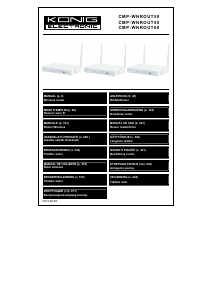
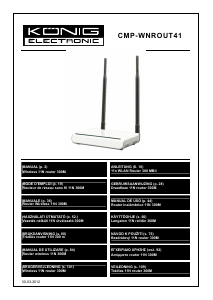
Manuál König CMP-WNROUT41 Router

Potřebujete manuál pro svůj König CMP-WNROUT41 Router? Níže si můžete zdarma prohlédnout a stáhnout PDF manuál v češtině. Tento produkt má aktuálně 2 často kladené otázky, 0 komentářů a má 0 hlasů. Pokud toto není manuál, který chcete, kontaktujte nás.

Je váš výrobek vadný a manuál nenabízí žádné řešení? Přejděte do Repair Café a získejte opravu zdarma.

Manuál

Loading…

5
MBSSID AP Isolation: One access control feature based on wireless MAC address. When this feature is
enabled, wireless clients connected to the same SSID cannot communicate with each other.
AP Isolation: One access control feature based on SSID. When this feature is enabled, each of your
wireless clients will be in its own virtual network and will not be able to communicate with each other.
When this feature is enabled, wireless clients connected to the Main SSID and Minor SSID cannot
communicate with each other, which can strongly secure the wireless network.
Channel: Specify the effective channel (from 1 to 13\Auto) of the wireless network.
Extension Channel: To increase data throughput of the wireless network, the extension channel range is
used in 11n mode.
Channel Bandwidth: Select the channel bandwidth to improve the wireless performance. When the
network has 11b/g and 11n clients, you can select the 40M; when it is an 11n network, select 20/40M to
improve its throughput.
6.2 Wireless Security Settings
This is used to configure the AP network’s security setting. Here the six (ten in all) common encryption
methods are presented, including Mixed WEP, WPA-personal, WPA-enterprise, WPA2-personal, WPA2-
enterprise, etc.
6.2.1 Mixed WEP
WEP (Wired Equivalent Privacy), a basic encryption method, usually encrypts wireless data using a series of
digital keys (64 bits or 128 bits in length). By using the same keys on each of your wireless network devices,
you can prevent unauthorised wireless devices from monitoring your transmissions or using your wireless
resources. Select Mixed WEP to enter the following window:
Select SSID: Select the SSID (main SSID or minor SSID) to configure security settings from the
drop-down menu.
Security Mode: From the drop-down menu, select the corresponding security encryption modes.
WEP Key1~4: Set the WEP key with the ASCII and Hex format. You can enter ASCII code (5 or 13 ASCII
characters. Illegal characters such as “/” are not allowed.) or 10/26 hex characters.
Default Key: Select one key from the four configured keys as the current available one.
6.2.2 WPA-Personal
WPA (Wi-Fi Protected Access), a Wi-Fi standard, is a more recent wireless encryption scheme, designed to
improve the security features of WEP. It applies more powerful encryption types (such as TKIP [Temporal Key
Integrity Protocol] or AES [Advanced Encryption Standard]) and can change the keys dynamically on every
authorised wireless device.
Select SSID: Select the SSID (main SSID or minor SSID) to configure security settings from the
drop-down menu.
WPA Algorithms: Provides TKIP [Temporal Key Integrity Protocol] or AES [Advanced Encryption
Standard]. The default is TKIP mode.
Pass Phrase: Enter the encrypted characters with 8-63 ASCII characters.
Key Renewal Interval: Set the key’s renewal period.
6.2.3 WPA2- Personal
WPA2 (Wi-Fi Protected Access version 2) provides higher security than WEP (Wireless Equivalent Privacy)
and WPA (Wi-Fi Protected Access).
Select SSID: Select the SSID (main SSID or minor SSID) to configure security settings from the
drop-down menu.
WPA Algorithms: Provides TKIP [Temporal Key Integrity Protocol] or AES [Advanced Encryption
Standard]. The default is TKIP mode.
Pass Phrase: Enter the encrypted characters with 8-63
ASCII characters.
Stáhnout manuál v český (PDF, 1.4 MB)
(Zvažte dopad na životní prostředí a tento manuál si vytiskněte pouze v případě, že výtisk skutečně potřebujete)

Loading…

Hodnocení

Ohodnoťte König CMP-WNROUT41 Router a dejte nám vědět, co si o výrobku myslíte. Chcete se podělit o své zkušenosti s tímto výrobkem nebo se na něco zeptat? Nechte nám ve spodní části stránky komentář.
Jste spokojeni s König CMP-WNROUT41 Router?
Ano Ne
Ohodnoťte tento výrobek jako první
0 hlasy

Zapojte se do konverzace o tomto výrobku

Zde můžete sdílet, co si myslíte o König CMP-WNROUT41 Router. Máte-li dotaz, nejprve si pozorně přečtěte návod. Žádost o příručku lze provést pomocí našeho kontaktního formuláře.

Více o tomto návodu

Chápeme, že je hezké mít k vašemu König CMP-WNROUT41 Router papírovou příručku. Manuál si můžete vždy stáhnout z našich webových stránek a vytisknout si jej sami. Pokud byste chtěli mít originální příručku, doporučujeme vám kontaktovat Konig. Možná by byli schopni poskytnout originální návod. Hledáte příručku ke svému König CMP-WNROUT41 Router v jiném jazyce? Vyberte si preferovaný jazyk na naší domovské stránce a vyhledejte číslo modelu, abyste zjistili, zda jej máme k dispozici.

Specifikace

Značka Konig
Modelka CMP-WNROUT41
Kategorie Routery
Typ souboru PDF
Velikost souboru 1.4 MB

Všechny návody pro König Routery
Další manuály Routery

Často kladené otázky o König CMP-WNROUT41 Router

Náš tým podpory vyhledává užitečné produktové informace a odpovídá na často kladené otázky. Pokud v nich najdete nějakou nepřesnost, kontaktujte nás prostřednictvím našeho kontaktního formuláře.

Jak mohu zlepšit signál svého routeru? Ověřeno

Nejprve zkuste upravit umístění a umístění routeru, aby se zlepšil signál. Pokud se to nepodaří, je často možné změnit bezdrátový kanál routeru. Existuje možnost, že jiná bezdrátová zařízení používají stejný bezdrátový kanál, což může mít za následek sníženou sílu signálu.

To bylo užitečné (1252) Přečtěte si více

Jaký je rozdíl mezi routerem a modemem? Ověřeno

Modem usnadňuje připojení k internetu prostřednictvím vašeho poskytovatele. Směrovač distribuuje tento signál do různých zařízení v síti. Většina moderních směrovačů má vestavěný modem.

To bylo užitečné (179) Přečtěte si více
Manuál König CMP-WNROUT41 Router

Související produkty

Související kategorie

×
Download