Manuál EMOS E8737 Meteostanice

Potřebujete manuál pro svůj EMOS E8737 Meteostanice? Níže si můžete zdarma prohlédnout a stáhnout PDF manuál v češtině. Tento produkt má aktuálně 5 často kladené otázky, 2 komentářů a má 2 hlasů s průměrným hodnocením produktu 100/100. Pokud toto není manuál, který chcete, kontaktujte nás.

Je váš výrobek vadný a manuál nenabízí žádné řešení? Přejděte do Repair Café a získejte opravu zdarma.

Manuál

Loading…
3
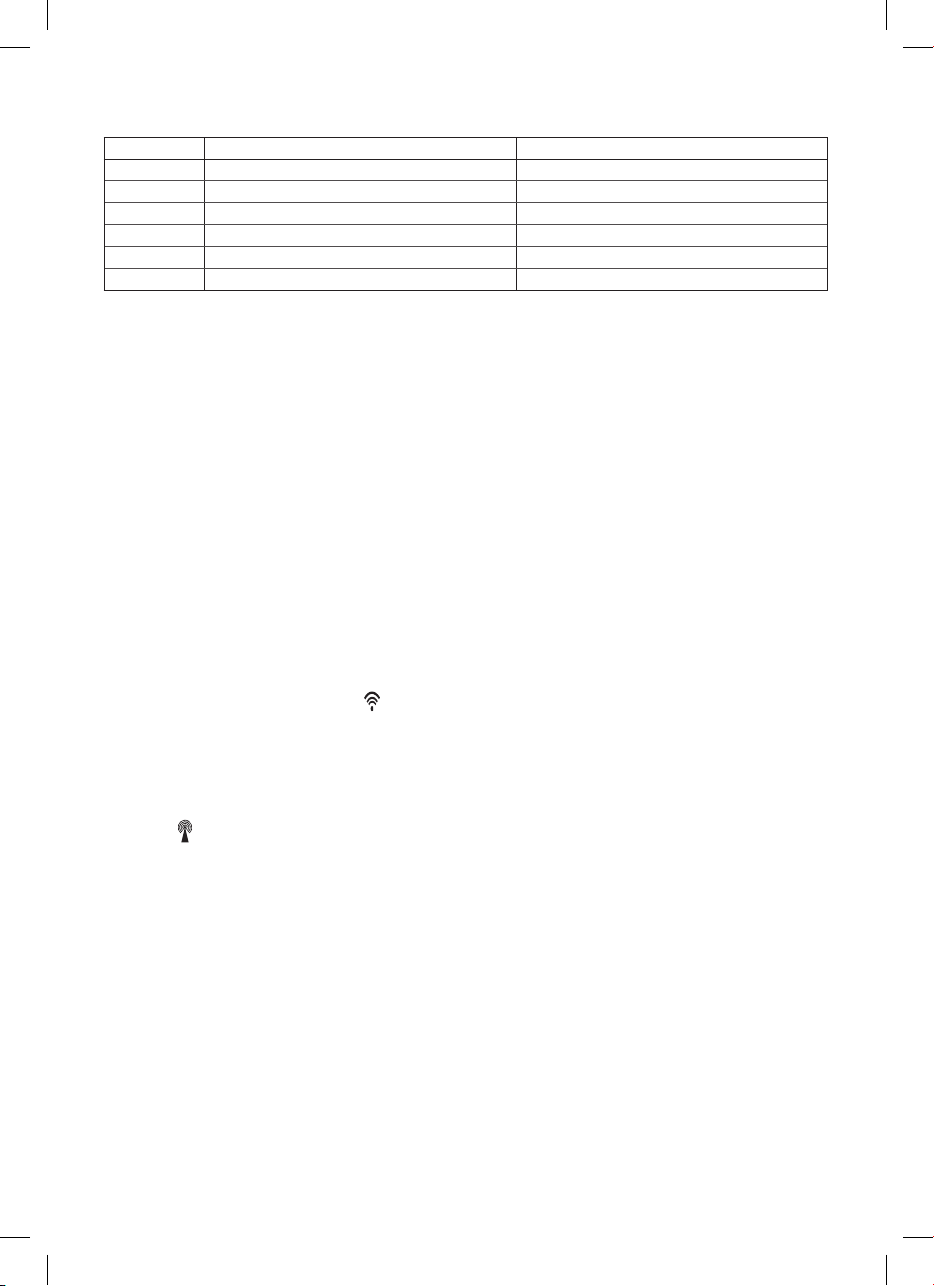
J – DCF signal reception icon
K – alarm and snooze icon
L – current time
Press button Hold button
SNZ activates alarm snooze/display backlight
TIME displays year setting the time
ALM displays alarm time setting the time of alarm
CH sensor No. search for sensor 1, 2, 3
UP 1 step forward, alarm activation displays temperature units °C/°F
DOWN 1 step back search for DCF signal
Wireless sensor
Front side
A – outdoor temperature
B – sensor channel number, signal transmission icon
C – outdoor humidity, battery low icon
Back side
°C/°F – temperature unit
CH – switching between sensor channel numbers (1, 2, 3)
Putting into operation
1. Insert batteries into the weather station (3×1.5 V AAA), connect the 4.5V AC adapter and then insert batteries into the
wireless sensor (2×1.5 V AA).
When inserting the batteries make sure the polarity is correct to avoid damaging the weather station or sensor. Only use
alkaline batteries of the same type, do not use rechargeable batteries.
2. Place the two units next to each other. The weather station detects the remote sensor signal within 3 minutes. If the remote
sensor signal is not detected, press and hold the CH button to repeat search for the remote sensor signal.
3. If the outdoor temperature value disappears from the display, repeat steps 1 and 2.
4. We recommend placing the sensor on the north side of the house. The range of the sensor may decrease substantially in
urban areas. The sensor is resistant to dripping water, however, it should not be exposed to rain permanently. Do not place
the sensor on metal objects as this reduces transmission range.
5. If low battery icon is displayed, replace batteries in the sensor or weather station.
Switch-over to another channel and connecting more sensors
1. Press repeatedly the CH button on the back side of the weather station to select the required sensor channel – 1, 2 or 3.
Then press and hold the CH button; the
icon starts ashing.
2. Remove the cover from the battery compartment and insert batteries (2×1.5 V AA).
3. Press repeatedly the CH button to set the desired sensor channel No. – 1, 2, 3 which will be shown on the front panel display.
Data from the sensor will be loaded on the station display within 3 minutes.
4. Repeat the whole procedure if the sensor signal is not detected.
Radio controlled clock (DCF77)
After registering with the wireless sensor, the weather station will automatically start searching for the DCF77 signal for 10
minutes; the
icon is ashing. During the search, no other data on the display will be updated and the buttons will be disabled.
Signal detected – the icon stops ashing and the current time is displayed.
Signal not detected – the icon disappears.
Press and hold the DOWN button to repeat search for the DCF77 signal.
Press shortly the DOWN button again to stop search for the DCF77 signal.
DCF signal will be synchronised daily between 2:00 and 3:00 am.
In normal conditions (at a safe distance from sources of interference, such as television sets or computer
monitors) the detection of time signal takes several minutes. If the weather station does not detect the signal, follow these steps:
1. Move the weather station to another location and try to detect the DCF signal again.
2. Check the distance of the clock from the sources of interference (computer monitors or television sets). It should be at
least 1.5 to 2 m during the reception of the signal.
3. When receiving DCF signal, do not put the weather station to the proximity of metal doors, window frames and other metal
structures or objects (washing machines, dryers, refrigerators etc.).
4. In reinforced concrete structures (cellars, high-rise buildings etc.), the DCF signal reception is weaker, depending on the
conditions. In extreme cases, place the weather station close to a window toward the transmitter.
Reception of the DCF 77 radio signal is aected by the following factors:
thick walls and insulation, basements and cellars
inadequate local geographical conditions (these are dicult to assess in advance)
atmospheric disturbances, thunderstorms, electrical appliances with no interference elimination, television sets and com-
puters located near the DCF receiver.
Stáhnout manuál v český (PDF, 0.97 MB)
(Zvažte dopad na životní prostředí a tento manuál si vytiskněte pouze v případě, že výtisk skutečně potřebujete)

Loading…

Hodnocení

Ohodnoťte EMOS E8737 Meteostanice a dejte nám vědět, co si o výrobku myslíte. Chcete se podělit o své zkušenosti s tímto výrobkem nebo se na něco zeptat? Nechte nám ve spodní části stránky komentář.
Jste spokojeni s EMOS E8737 Meteostanice?
Ano Ne
100%
0%
2 hlasy

Zapojte se do konverzace o tomto výrobku

Zde můžete sdílet, co si myslíte o EMOS E8737 Meteostanice. Máte-li dotaz, nejprve si pozorně přečtěte návod. Žádost o příručku lze provést pomocí našeho kontaktního formuláře.

s 25-12-2023
X

odpověď | To bylo užitečné (1) Přečtěte si více (Přeloženo Googlem)
s 25-12-2023
X

To bylo užitečné (0) (Přeloženo Googlem)

Více o tomto návodu

Chápeme, že je hezké mít k vašemu EMOS E8737 Meteostanice papírovou příručku. Manuál si můžete vždy stáhnout z našich webových stránek a vytisknout si jej sami. Pokud byste chtěli mít originální příručku, doporučujeme vám kontaktovat EMOS. Možná by byli schopni poskytnout originální návod. Hledáte příručku ke svému EMOS E8737 Meteostanice v jiném jazyce? Vyberte si preferovaný jazyk na naší domovské stránce a vyhledejte číslo modelu, abyste zjistili, zda jej máme k dispozici.

Specifikace

Značka EMOS
Modelka E8737
Kategorie Meteostanice
Typ souboru PDF
Velikost souboru 0.97 MB

Všechny návody pro EMOS Meteostanice
Další manuály Meteostanice

Často kladené otázky o EMOS E8737 Meteostanice

Náš tým podpory vyhledává užitečné produktové informace a odpovídá na často kladené otázky. Pokud v nich najdete nějakou nepřesnost, kontaktujte nás prostřednictvím našeho kontaktního formuláře.

Moje meteostanice předpovídala, že bude pršet, ale nepršelo.Jak to? Ověřeno

Předpověď meteostanice je založená na tlaku vzduchu.Nízký tlak obecně znamená špatné počasí a vysoký tlak dobré počasí.Počasí se může vyvinout jinak, než jak předpovídá tlak vzduchu.

To bylo užitečné (1471) Přečtěte si více

Jaké je nejlepší umístění meteorologické stanice a jejích senzorů? Ověřeno

Samotná meteorologická stanice je umístěna uvnitř a musí být chráněna před zdroji tepla, jako je kuchyň, okna nebo elektrické spotřebiče. Samostatný snímač venkovní teploty musí být umístěn ve stínu a nejméně 1,25 m nad zemí. Dešťový senzor musí být umístěn na otevřeném prostranství, kde může vždy shromažďovat déšť. Senzor větru musí být umístěn také na volném prostranství, kde na něj mohou působit jakékoli překážky.

To bylo užitečné (395) Přečtěte si více

Moje meteorologická stanice má srážkoměr, dokáže také měřit množství sněžení? Ověřeno

Některé srážkoměry jsou vybaveny topným tělesem, díky kterému se sníh roztaje a umožňuje jeho měření. Bez topného tělesa se srážkoměr ucpe a nelze provádět žádné měření.

To bylo užitečné (282) Přečtěte si více

Mohu vyměnitelnou baterii v zařízení nechat dlouho? Ověřeno

Vyměnitelné baterie mohou zůstat v zařízení po dlouhou dobu, pokud se zařízení používá. Pokud je zařízení dlouhodobě skladováno, je doporučeno vyjmout baterie, aby nedošlo k oxidaci.

To bylo užitečné (282) Přečtěte si více

Baterie v mém zařízení je oxidovaná, mohu ji přesto bezpečně používat? Ověřeno

Ja, zařízení lze stále bezpečně používat. Nejprve vyjměte oxidační baterii. Nikdy k tomu nepoužívejte holé ruce. Poté očistěte přihrádku na baterie vatovým tamponem namočeným v octě nebo citronové šťávě. Nechejte zaschnout a vložte nové baterie.

To bylo užitečné (281) Přečtěte si více
Manuál EMOS E8737 Meteostanice

Související produkty

Související kategorie

×
Download